Menu
Get the tracker · $24

14-day refund  ·  Instant download

Budget tracker for Google Sheets and ExcelBudget tracker for Sheets and Excel

See your whole year of money in one place.

Track income, spending, savings and debt month by month. No bank login. Pay once and keep it.

  • 14-day refund
  • Instant download
  • Excel 2016 or later

14-day refund  ·  Instant download  ·  Excel 2016+
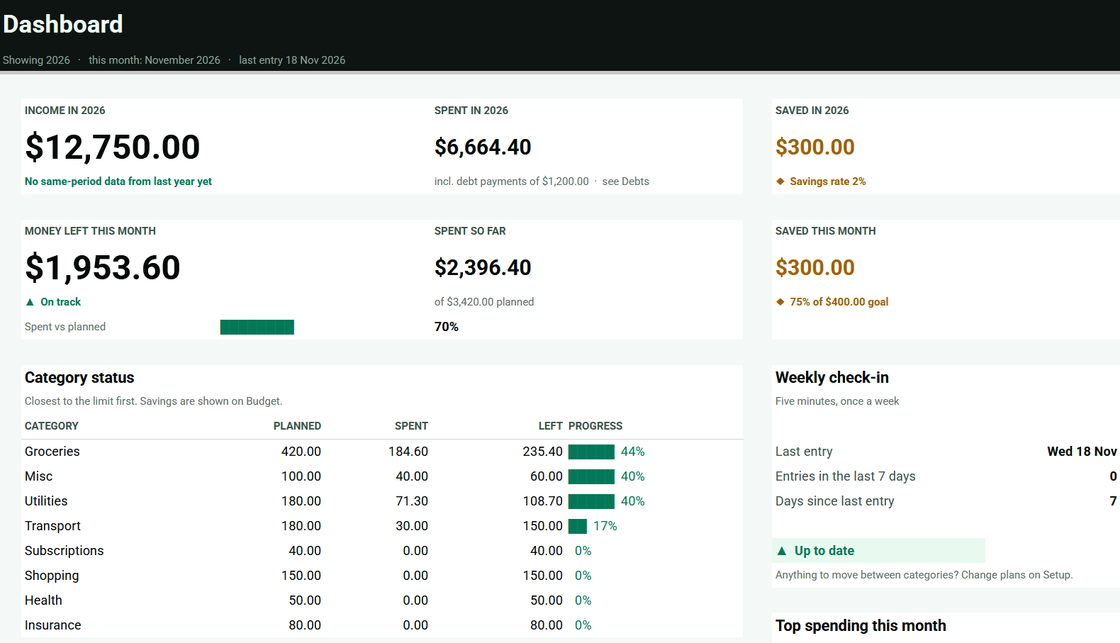
The Dashboard tab with sample data: income, spent and saved for the year, then money left this month.

Why it’s different

Built around the three questions people ask firstThe answers come first

  • No bank login

    Your numbers stay in your own file. Nothing connects to your accounts.Your numbers stay in your own file.

  • Pay once, keep it

    One payment of $24. No subscription and no renewals.$24 one time. No subscription.

  • Sheets and Excel

    Works in Google Sheets and Excel 2016 or later, on desktop and phone.Excel 2016 or later, desktop and phone.

How it works

Set up in one sitting

  1. 01

    Buy and download

    Checkout opens on Payhip. Your download arrives straight away.

  2. 02

    Copy it to your DriveCopy it to your Drive or open in Excel

    One button makes your own copy. Prefer Excel? Open the file instead.

  3. 03

    Log and check in weekly

    Add what you spend. The Dashboard does the math for the month and the year.

Product tour

Every tab, with sample data

See exactly what you get before you buy. These are the real tabs, not mockups.
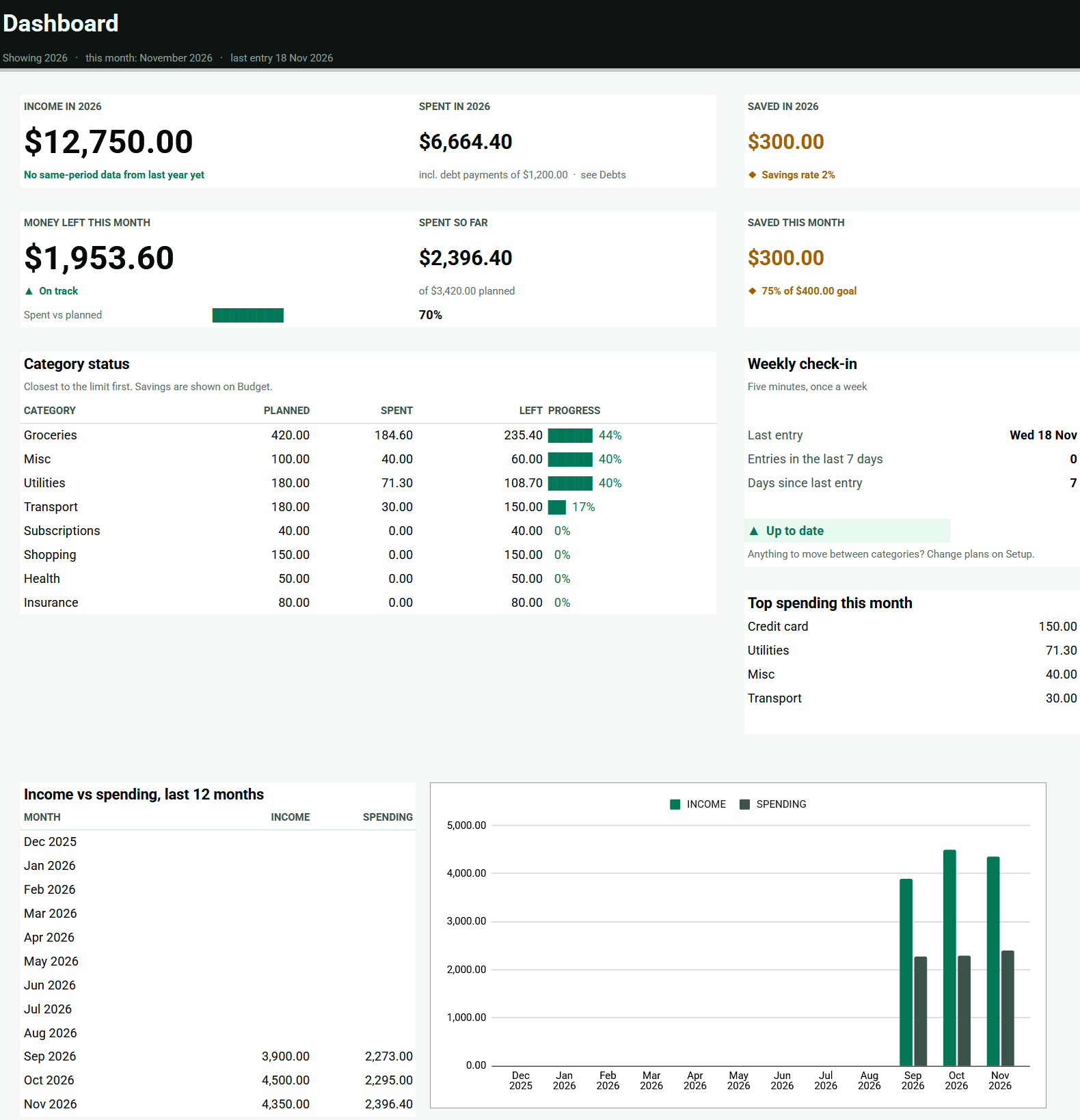
The Dashboard tab of the EquityEngage Budget Tracker, filled with sample data.
The Dashboard puts your year first, then this month, so you always know where you stand.Your year first, then this month.
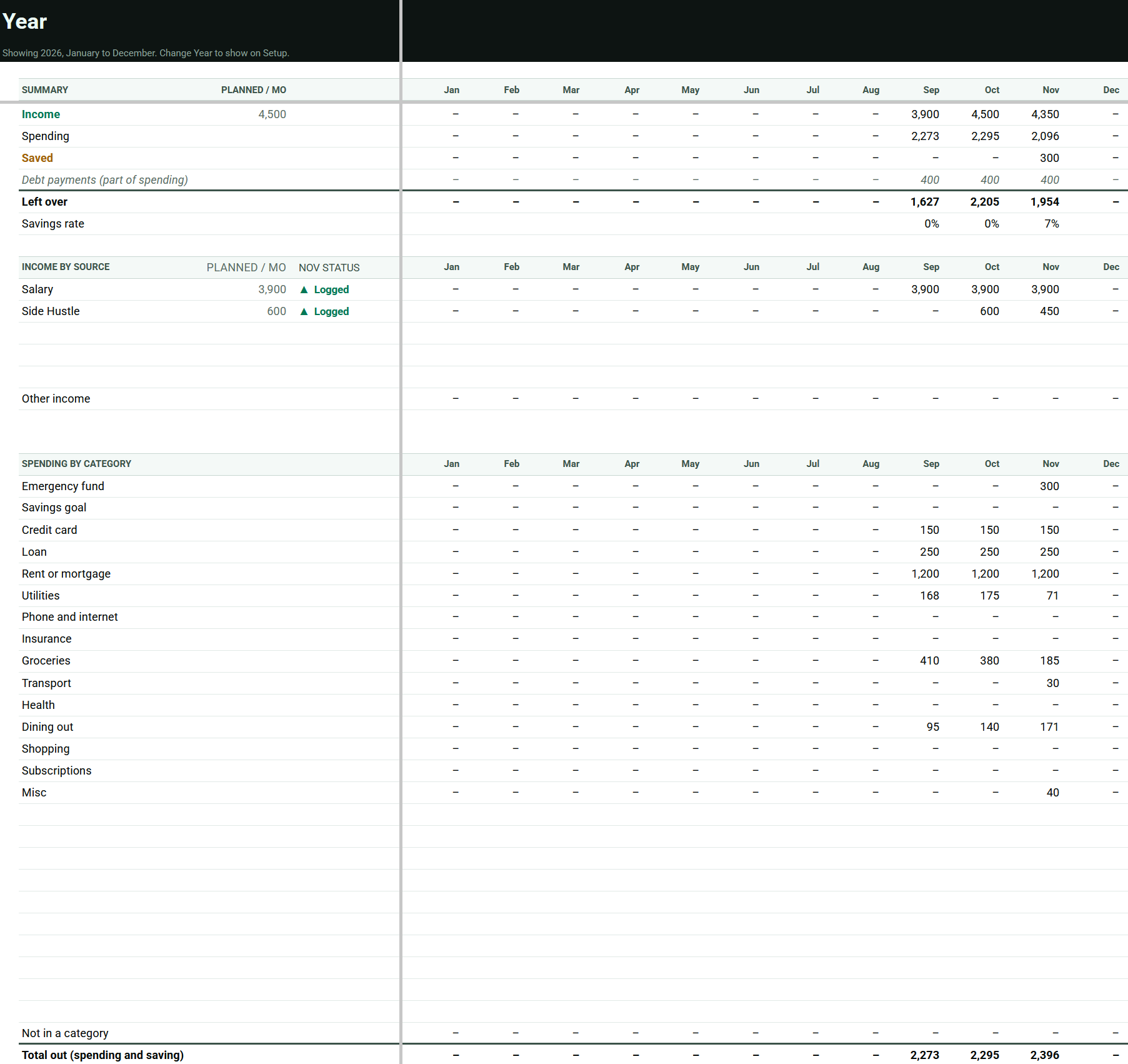
The Year tab of the EquityEngage Budget Tracker, filled with sample data.
Every month side by side: income, spending, saving and debt payments, with totals and the same months last year.
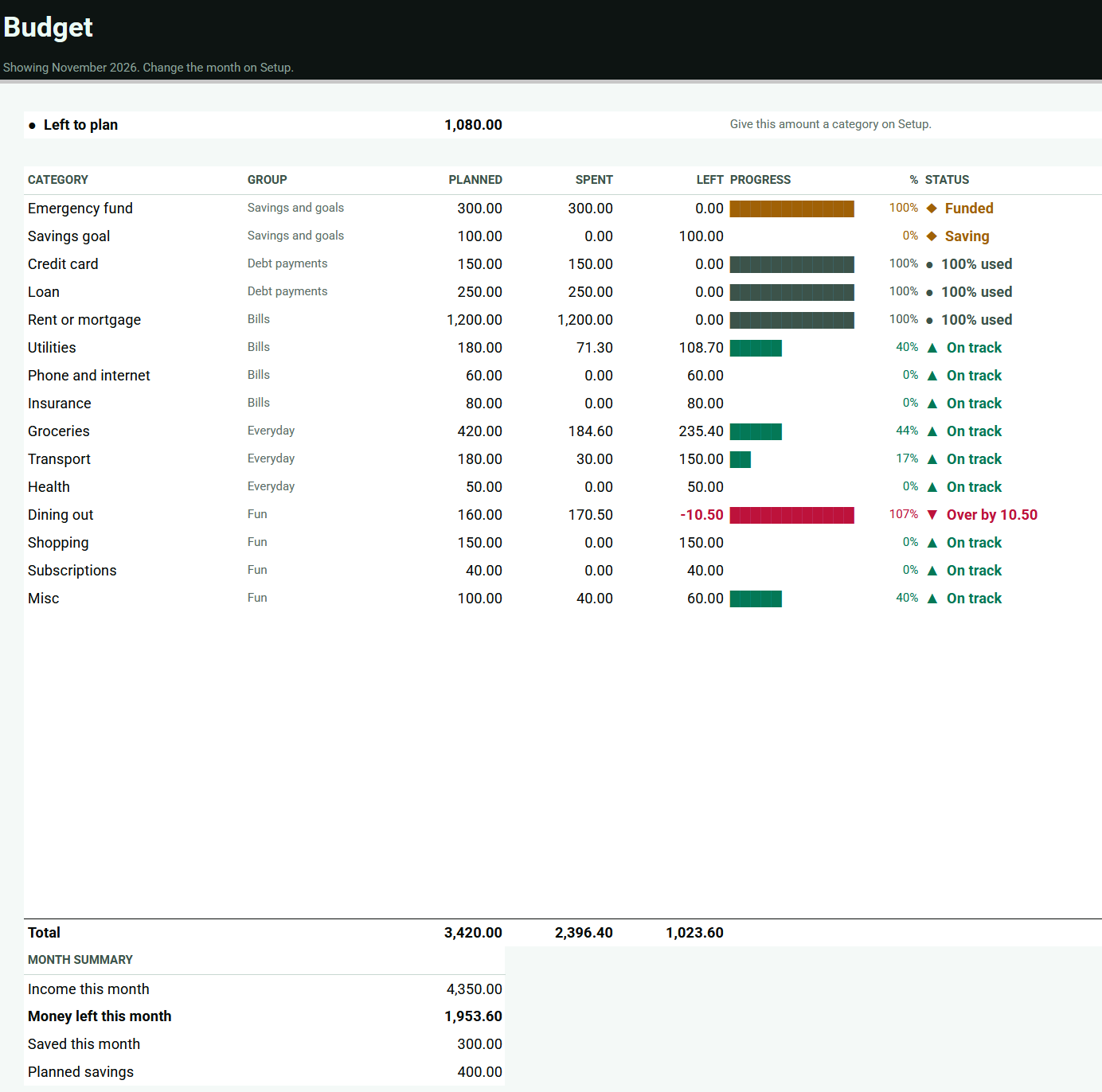
The Budget tab of the EquityEngage Budget Tracker, filled with sample data.
This month’s plan against what you actually spent, category by category, with anything over budget called out in words.
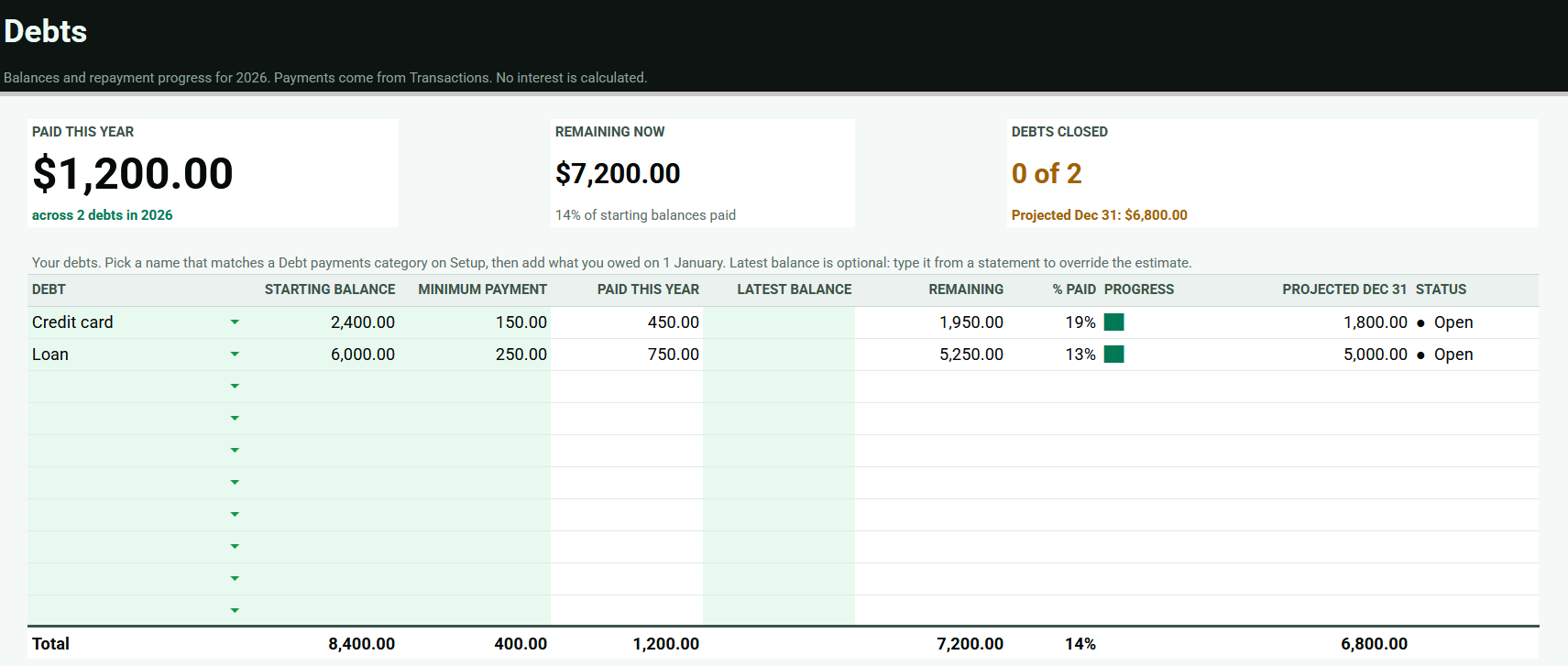
The Debts tab of the EquityEngage Budget Tracker, filled with sample data.
Balances, payments this year, percent paid and what’s left by December. No interest math.
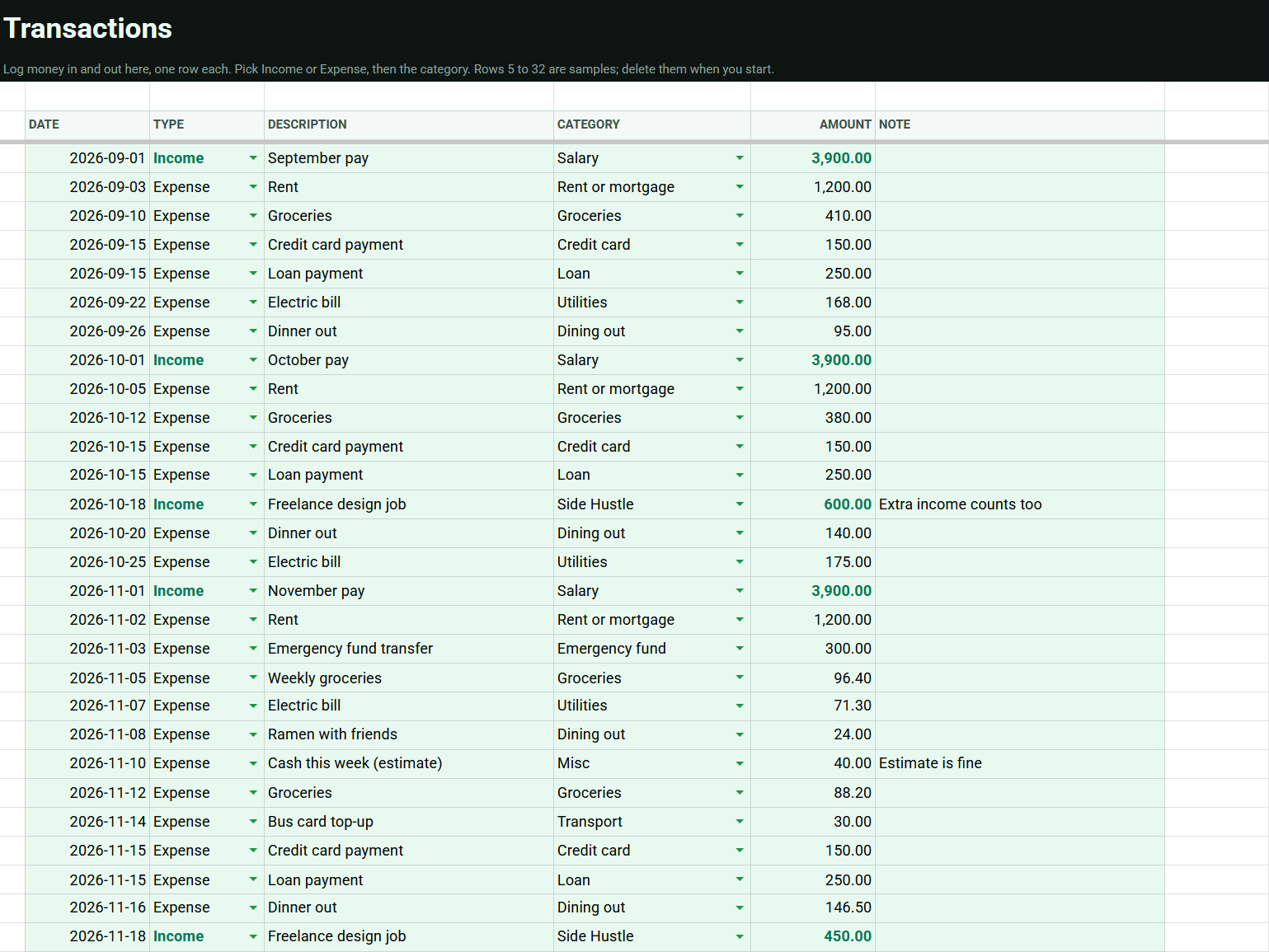
The Transactions tab of the EquityEngage Budget Tracker, filled with sample data.
One row per income or expense. Pick the type and category from the dropdowns, then type the amount.

Who it’s for

Made for people who want the full picture

  • Your first budget

    Plain steps, a setup checklist and a Help tab in every copy.

  • Paying down debt

    Balances, payments and what’s left by December, without interest math.

  • More than one income

    Salary and side income tracked separately, with a monthly plan for each.

Not the right fit if you want automatic bank syncing.

Pricing

One price. Everything included.

EquityEngage Budget Tracker

Google Sheets copy link and a tested Excel file

$24one-time, USD

Get the tracker

Card or PayPal. Any tax is shown at checkout. 14-day refund if it isn’t right for you.

What you get

  • Google Sheets copy link and a tested Excel file
  • Dashboard, Year, Budget, Debts and Transactions tabs
  • 27 currencies, every year in one file
  • Setup checklist and a plain-language Help tab
  • Free updates to version 1
  • Email support through the Contact page

FAQ

Questions, answered

Does it work in Excel?

Yes. It works in Excel 2016 or later on Windows and Mac, and in Excel for the web. Type dates as yyyy-mm-dd.

Do I need to connect my bank?

No. You type each transaction yourself, which takes about a minute a day and keeps your bank login out of it.

What if it isn’t right for me?

Ask within 14 days of purchase and you get a full refund, no questions asked. Send a message with the email you used at checkout.

Can I use my own currency?

Yes. Pick yours from 27 currencies on the Setup tab and switch any time. Switching changes the symbol and decimals, never your amounts. Each file uses one currency.

How do updates work?

Fixes and improvements to version 1 are free. When an update is released, you’ll get the new version the same way you got the first one.
See all questions

Start the year knowing where your money goes.

Get the tracker · $24

14-day refund  ·  Instant download  ·  Sheets and Excel